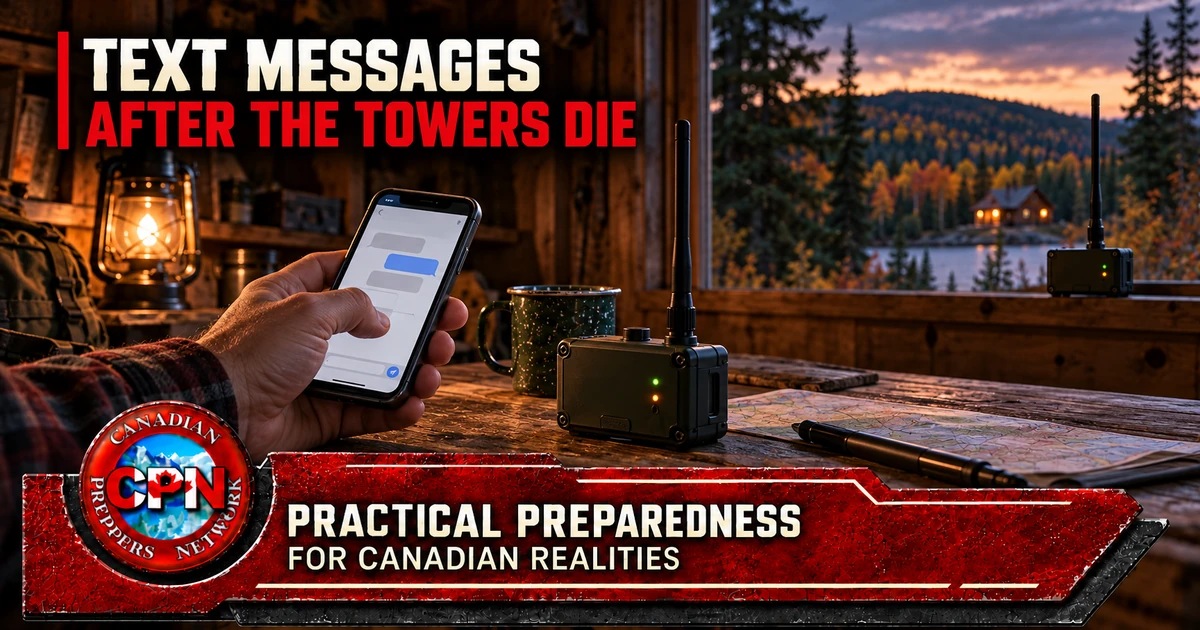
Building a local Meshtastic network before you need it
The mobile network has failed. Someone is collecting water, another person is checking a neighbouring property, and the people at home need to know whether either party requires help. Sending a runner takes time. Walking out to find them creates another person to keep track of.
A short message could settle the problem: We’re safe. Cart damaged. Send help to the agreed meeting point.
Meshtastic offers a way to exchange messages using your own radio equipment without relying on mobile service or the internet. Its usefulness depends on the equipment, configuration and radio coverage you have established beforehand. Buying a few devices does not automatically create a dependable network.
What Meshtastic actually does
Meshtastic is an open-source project that runs on compatible radio devices. Those devices use a radio technology called LoRa to carry small amounts of data. A device participating in the network is called a node.
In a common arrangement, you type a message in the Meshtastic app on your phone. A local Bluetooth connection carries it to your node, which transmits it by radio. Another node receives the message and makes it available to its user.
The phone provides the interface; the node provides the radio link. Installing the app alone does not turn a phone into a Meshtastic radio. Some supported devices have their own screen and keyboard, allowing operation without a separate phone. Check the exact model rather than assuming every node works the same way.
For a preparedness group, the useful starting point is short written messages: check-ins, requests, meeting instructions and reports. Treat it as an additional communications tool rather than a replacement for every function of a phone or two-way voice radio.
See the official Meshtastic getting-started guide and supported hardware overview.
How the mesh extends communication
Two nodes can communicate directly when their settings match and the radio path allows it. Additional suitably configured nodes can relay messages beyond that direct link.
Imagine two households separated by terrain that prevents reliable contact. A third node positioned where it can communicate with both might provide a working relay path. That is a proposed arrangement to test, not a guaranteed result.
Meshtastic manages retransmissions and limits how many times a message can travel through intermediate nodes. A mesh needs a usable sequence of radio links. The word “mesh” does not make a disconnected node reachable. The official mesh-routing explanation describes these mechanisms.
This has an immediate post-collapse implication: know which equipment your communications depend on. A neighbour’s node may be helpful today, but its battery, ownership and maintenance remain outside your control. Build the essential connections around equipment your group can keep operating.
Start with two users and one useful job
Begin with a modest objective: reliable messages between the home and one nearby location you actually use. Each end needs a compatible node, a suitable way to read and compose messages, and power.
For a first purchase, favour documented, assembled equipment over an unfamiliar collection of bare circuit boards and loose batteries. Check these points before ordering:
- The exact model supports Meshtastic.
- It is the appropriate frequency version for your intended Canadian deployment.
- Its Canadian compliance information is available.
- You understand whether it needs a phone, computer or built-in interface.
- The battery, enclosure, antenna and charging arrangements are clearly specified.
Different manufacturers’ supported devices can participate in Meshtastic, but their hardware and configuration still need to be compatible. Matching appearances or the word “LoRa” in a listing is insufficient.
Once two users can communicate reliably, investigate whether another node would solve a demonstrated coverage problem.
The Canadian detail hidden behind “licence-free”
Meshtastic’s country guide lists Canada under the “US” region setting. Its LoRa configuration documentation identifies that region with the 902–928 MHz frequency range. Devices marketed for this arrangement commonly use a “915 MHz” description.
That software setting is not Canadian equipment certification. ISED explains that licence-exempt operation still requires compliance with applicable equipment and operating requirements. A product advertised as licence-free overseas is not automatically approved for Canadian use.
Ask for the Canadian certification information and check the exact equipment against ISED’s Radio Equipment List where applicable. The ISED licence-exempt radio FAQ explains the distinction and links to certification resources.
For a beginner’s deployment, buy equipment supplied for compliant Canadian operation and use the manufacturer’s approved antenna arrangement. Do not treat adjustable transmit power or an available software option as permission to use it.
Match the settings before testing distance
Two working radios can fail to communicate because they are configured differently. Meshtastic distinguishes between radio settings, which determine how devices transmit and receive, and messaging channels, which organise conversations and their encryption keys.
For group-channel communication, check the following:
| Setting | What to check |
|---|---|
| Region | All nodes use the appropriate matching region. |
| Modem preset | All nodes use the same preset. |
| Frequency slot | All nodes use the same radio frequency slot. |
| Messaging channel | Channel name and encryption key match. |
Changing a primary channel name can affect the automatically selected frequency slot. Use the official channel-configuration guidance rather than changing settings independently on each device.
For an initial small network, ordinary CLIENT operation is a sensible starting point. CLIENT nodes can relay traffic; you do not need to label every fixed device a ROUTER. Meshtastic’s configuration tips warn that unnecessary use of specialised routing roles can reduce network performance.
Range is something you establish
Avoid planning around an advertised maximum distance or an exceptional demonstration. Buildings, vegetation, terrain, antenna characteristics and configuration affect communication. The practical question is whether messages reach the locations your group needs, with the equipment carried or installed as intended.
Meshtastic’s antenna-testing guidance recommends sending messages from different locations and comparing the results. A successful outdoor test does not establish reliable contact from inside a shed or vehicle.
Before buying more equipment, try different safe positions and record what changes. If adding an external antenna is permitted by the equipment’s approval, check its frequency suitability and connector carefully. Long antenna cables introduce loss, and an antenna that physically fits may still be unsuitable.
Attach the correct antenna before powering the radio. The official antenna-selection guidance warns that operation without an antenna, or with a poorly matched one, can damage the device.
Prove it works without the internet
Meshtastic can optionally connect radio networks through internet gateways using a feature called MQTT. That can be useful during normal operation, but an internet-assisted contact does not prove an entirely radio-based route exists. The MQTT documentation explains this optional connection.
For your preparedness test:
- Disable MQTT on the test nodes.
- Disconnect the phones from mobile data and internet Wi-Fi.
- Keep the local Bluetooth connection enabled if the nodes use it.
- Exchange messages in both directions.
- Repeat the test at the actual locations you need.
Airplane mode can help isolate a phone from mobile service, but confirm that Bluetooth remains enabled or switch it back on. Test a complete exchange, not just one transmission. A message that reaches the other person without a usable reply path is a limited result.
The default channel is public
Meshtastic’s default primary channel uses a published encryption key. Messages using that key should be treated as public.
For private group messages, create a channel with a new encryption key and share it only with the intended members. Protect the channel’s QR code or sharing link because it can contain the information needed to join.
Encryption has limits. Packet headers remain unencrypted, and possession of a group key allows someone to read that channel’s traffic. Meshtastic specifically advises against putting private channel keys on unattended relay nodes: nodes can relay encrypted traffic without being able to read its contents. Read the official encryption explanation and limitations.
Review position-sharing settings separately. Depending on configuration, location information may be transmitted over a channel. Decide deliberately whether the group needs that feature rather than assuming it is private because the text conversation is private.
Use the network for necessary coordination. Avoid casually broadcasting inventories, access details or the movements of everyone in the group.
A check mark is not a human reply
Meshtastic distinguishes between acknowledgement by another mesh node and acknowledgement by the intended direct-message recipient’s device. Neither establishes that a person has read, understood or acted on the message. The official FAQ explains the acknowledgement indicators.
For consequential messages, require a written response. For example:
Water team to home: Cart damaged at Meeting Point B. Two people safe. Need assistance. Reply.
Then:
Home to water team: Understood. Two people leaving with replacement cart.
Agree on a fallback if no reply arrives: try a known better location, use the group’s voice-radio channel, or follow a prearranged return procedure. Set those rules while everyone can discuss them face to face.
Run a useful acceptance test
The following is a suggested group exercise, not a manufacturer’s performance standard. At every essential location, send ten numbered messages in each direction. Record how many arrive, whether replies return, and any repeated delays or failures. Repeat under ordinary working conditions rather than accepting one successful demonstration.
Then test the dependencies:
- Restart the nodes and phones.
- Remove mains power and operate from the planned batteries.
- Turn off an intermediate node and identify which contacts fail.
- Have a second person operate the equipment without coaching.
- Record how long the complete setup actually remains usable.
If the connection fails, investigate placement and configuration before assuming another purchase will solve it.
Buy for the network you have tested
A useful equipment budget starts with two complete, compatible nodes, followed by the interface and power arrangements each user needs. Further purchases should solve observed problems: an additional node for a tested relay position, a suitable enclosure, approved antenna equipment, replacement charging cables or a dependable power source.
Measure battery endurance with your chosen devices and settings. Follow the manufacturer’s operating and charging temperature limits, especially for equipment installed outdoors through a Canadian winter.
Keep copies of the configuration instructions and the software needed for recovery before online support becomes unavailable. Meshtastic’s power documentation treats advanced power settings cautiously; changing them without understanding their effects can disable interfaces you depend on.
The first objective is straightforward: two people, in two necessary locations, exchanging understandable messages with the internet disconnected. Establish that connection, document its limits and teach someone else to operate it. Then expand the network around a real need.
Which two locations would your household need to connect first—and have you tested that connection without mobile service?