Run a three-day winter solar test before you count on your battery through a long blackout.
The power goes out on Friday evening. Your power station is fully charged, the phones are topped up, and you have enough light to get through the night. By Sunday the battery is down to a quarter. The roads are still icy, and the solar panel you put out that morning has barely moved the charge indicator.
Friday’s full battery bought you time. By Sunday, what matters is how much energy you can put back every day and which jobs you can still afford to power. You can find that out before the next outage with a three-day test, a short list of essential loads, and a record of what happens to the battery.
Pick the jobs your battery has to do
Start with what you’d still use on day four of a winter blackout. For one household that might be a radio, two phones and a lamp in the room where everyone gathers. Another might set aside power for a freezer. If the house cools down and the family relocates, that list can change again.
Write down each device, how long you need it and when you need it. A lamp that draws 8 watts for five hours uses about 40 watt-hours (Wh). A plug-in energy meter that reports kilowatt-hours can track the same use. A reading of 0.040 kWh equals 40 Wh. For loads that switch on and off automatically, measure energy over a representative period. A single reading while a compressor is running tells you little about its full-day consumption.
Give every item a priority before the test. You’ll make better decisions about the lamp, laptop or router while the house is warm than at 10 p.m. with the battery nearly empty. Keep critical equipment on its normal supply during the drill and use measured consumption or a comparable non-critical load for the exercise.
The Fully Self-Sustained Series
Build household systems you can maintain through a long disruption. Explore practical manuals on energy, water and sanitation, and small-livestock production.
Run the winter solar test for three days
Pick a stretch with the kind of weather your outage plan needs to handle. Three clear days will give you a fair-weather result. A cloudy day, a panel that needs brushing off, or a ridge that shades the yard by mid-afternoon can tell you more about your backup plan.
- Start below full and record the charge. Leave enough headroom for the battery to accept solar through the day. If it fills early, note the time. Your input reading then shows what the station accepted, and the panel may have had more to give.
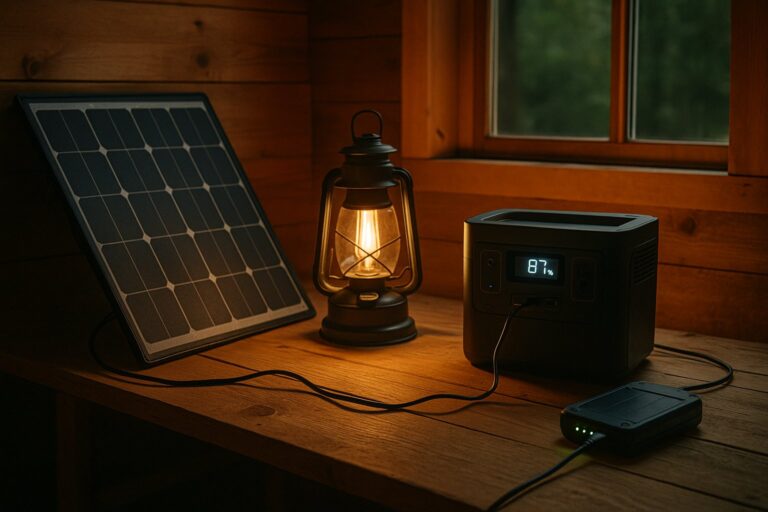
- Set up where you’d actually use it. Use the location and cable you could reach and deploy after a snowfall. Record when shade hits and whether you’d be able to keep the panel clear during a storm. Follow the equipment manual for placement, weather exposure and charging temperatures.
- Run the chosen loads on an outage schedule. Charge phones when you expect to need them. Run the evening light after dark. If you plan to leave AC output on between uses, do so during the test. The station’s own consumption belongs in the result.
- Take readings at the same time every day. Record battery percentage, daily solar input in Wh if the station reports it, and what you powered. If the display only shows live input in watts, take several readings and keep the battery’s daily charge trend as your main result. A good noon reading can hide a poor day.
- Set your stopping point before you start. Pick a charge level that leaves enough energy for the next round of essential use. If you hit it, stop the drill and record when it happened. That’s when your real plan would have to change.
Check the charging limit for your model before leaving a power station in an unheated garage or shed. EcoFlow, for example, lists a charging range of 0°C to 45°C for the RIVER 2 Pro and a discharging range of −10°C to 45°C. In that gap, the unit can be within its operating range for powering equipment while outside its range for recharging. EcoFlow RIVER 2 Pro specifications.
Work out how long your reserve can cover the shortfall
Suppose your essential devices use 240 Wh a day and the station accepts the following solar input over three days. These figures are illustrative.
| Test day | Solar input | Energy delivered to devices | Shortfall before station losses |
|---|---|---|---|
| Overcast | 70 Wh | 240 Wh | 170 Wh |
| Broken cloud | 150 Wh | 240 Wh | 90 Wh |
| Snow cleared late | 50 Wh | 240 Wh | 190 Wh |
| Three-day total | 270 Wh | 720 Wh | 450 Wh |
The average shortfall is 150 Wh a day before charging, conversion and standby losses. Suppose you’ve measured about 450 Wh of usable output between the charge level you start from and the point where you want to stop. At that average shortfall, you have roughly three days on paper. If the station reaches your cutoff on the second night, plan around the second night. The battery reading captures overhead the device measurements can miss, and the timing matters when most of the demand comes after sundown.
Check the worst day as well. If the third day’s weather repeats, a shortfall of at least 190 Wh a day gives you closer to two days before you have to change course. That’s the number to have in mind when the forecast calls for another stretch of snow.
When the Supplies Run Out, What Can You Make?
Explore the Prepared Household Series for practical skills that help your household make and maintain what it needs when supplies are hard to replace.
Find the cheapest change that closes the gap
If the panel spent the afternoon in shade, try a spot with a longer clear window. If the battery started each morning too cold to charge, find a location within the manufacturer’s temperature limits. If the station lost charge overnight with very little running, repeat the evening with unused outputs switched off and compare the readings.
Then look at what you’re powering. Cutting a steady 10-watt load saves 240 Wh over 24 hours. If you only need that device for four hours, run it for those four hours and save about 200 Wh a day. That single change would cover the average shortfall in the example before station losses. Run another overnight check to see how much it actually saves.
Once you’ve trimmed the load, match any purchase to what the test showed. More battery capacity buys time through consecutive poor days. More compatible panel capacity can improve recovery when you have usable daylight. Before buying a panel, check its cold-weather open-circuit voltage, current and connector against the station manufacturer’s input limits. A second charging source covers the stretches when your solar setup can’t keep up. If a generator is already part of the plan, work out when you’d use it to refill the battery and which other jobs you’d run during that same shift.
Before you put the gear away, leave a note with the station: “If the battery reaches ___% before sunset, shut off ___ and switch to ___.” Pick the number and the backup while you can still test them. When the sun drops behind the trees and the roads are still closed, everyone in the house should know what gets the remaining power.
Free First 72 Hours Checklist
Use the printable checklist to test what else your household would need to change during the first three days of a prolonged outage.
Related Reading
Buying Box — Gear for a Winter Solar Test
As an Amazon Associate, Canadian Preppers Network earns from qualifying purchases. CPN may also earn a commission on purchases made through the VEVOR affiliate links below.
VEVOR Canada
- 2,160 Wh power station with a 200 W folding solar panel. A complete kit to compare if your test shows you need both more reserve and solar charging.
https://s.vevor.com/QT15PO - 2,160 Wh LiFePO₄ power station, sold separately. Consider the standalone unit if reserve capacity is the shortfall and you already have a compatible panel.
https://s.vevor.com/QT15P2
Amazon.ca
- Plug-in electricity usage meter with a kWh display. Measure the cumulative energy used by AC loads over a full day.
https://www.amazon.ca/s?k=plug+in+electricity+usage+meter+kwh&tag=canadianprep-20&ascsubtag=dailypost - USB-C power meter with a cumulative Wh display. Check the energy used to recharge a phone or other compatible USB-C device. Look for watt-hour logging in the specifications.
https://www.amazon.ca/s?k=usb+c+power+meter+watt+hour+logging&tag=canadianprep-20&ascsubtag=dailypost - 200 W folding solar panels. Compare compatible options if your existing station can accept more solar input.
https://www.amazon.ca/s?k=200w+foldable+solar+panel&tag=canadianprep-20&ascsubtag=dailypost - EcoFlow RIVER 2 Pro. A smaller station to compare against your measured daily load and minimum reserve.
https://www.amazon.ca/s?k=EcoFlow+RIVER+2+Pro&tag=canadianprep-20&ascsubtag=dailypost
Which device would you switch off first if your battery hit its reserve before sunset?